How TUTOR works
A 2.2-minute walkthrough, then the same steps in words and pictures below for anyone on low data.
Captions are shown in the video. The video only downloads when you press play. Every name shown is a test account.
Step by step
-
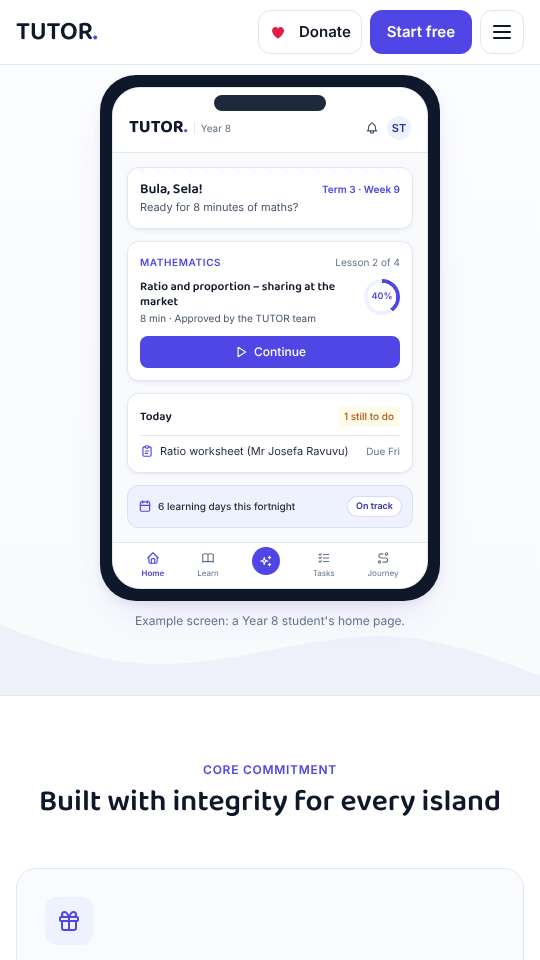
1. TUTOR, free for every student
TUTOR is a free AI tutor for every student in Fiji, Years 1 to 13, built on the Fiji curriculum.
-
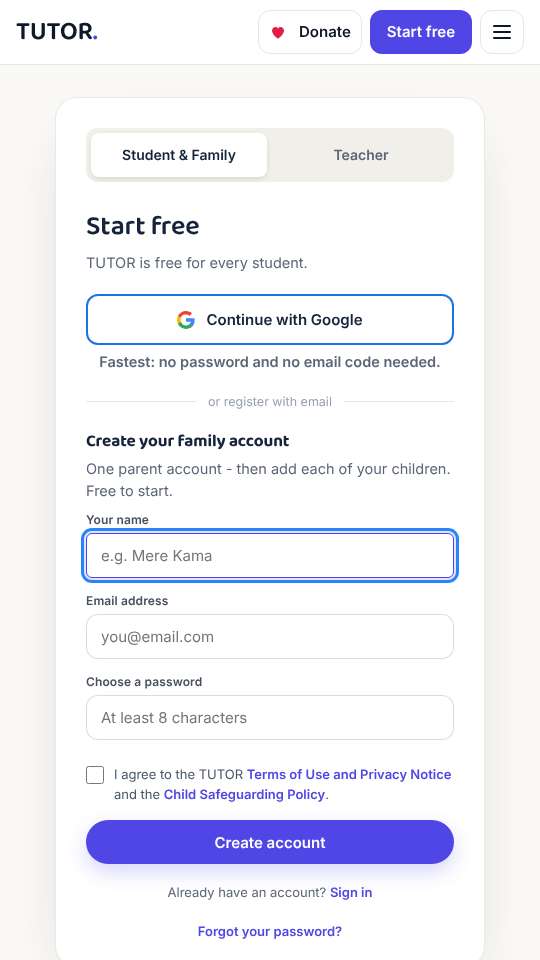
2. Sign up as a parent
A parent signs up first. "Continue with Google" is fastest: no password and no email code.
-
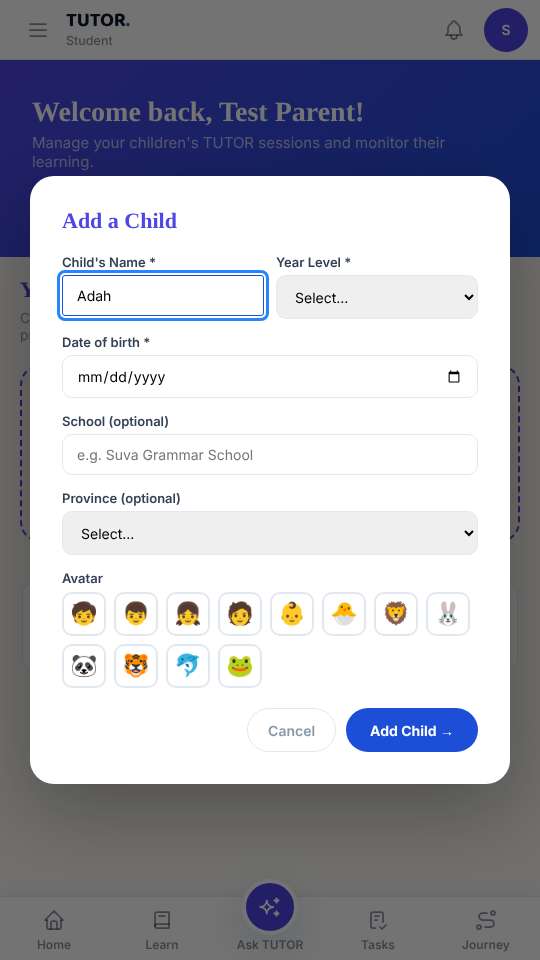
3. Add your child
Add your child: their name and year. No email is needed for children.
-
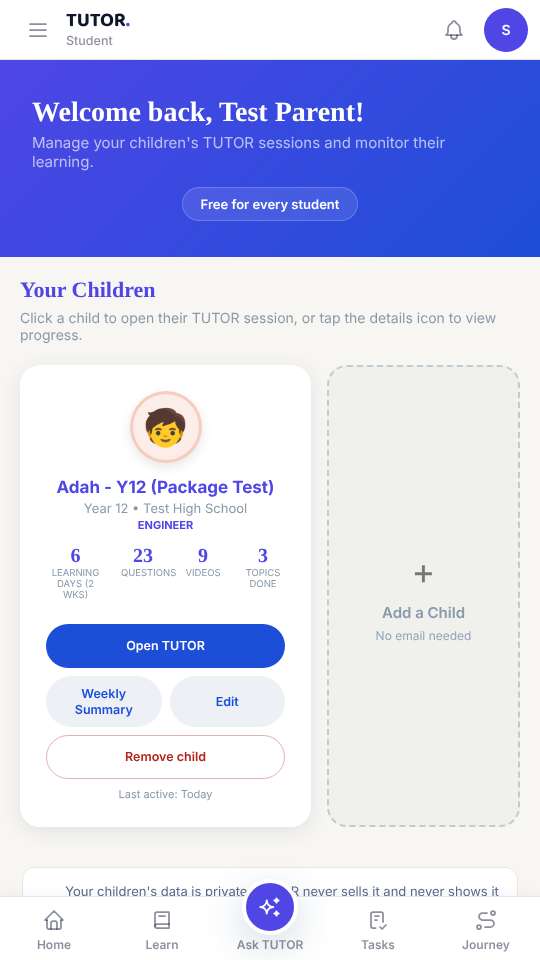
4. Subjects, family PIN, Open TUTOR
Choose their subjects, set a family PIN, then tap "Open TUTOR" to hand over to your child.
-
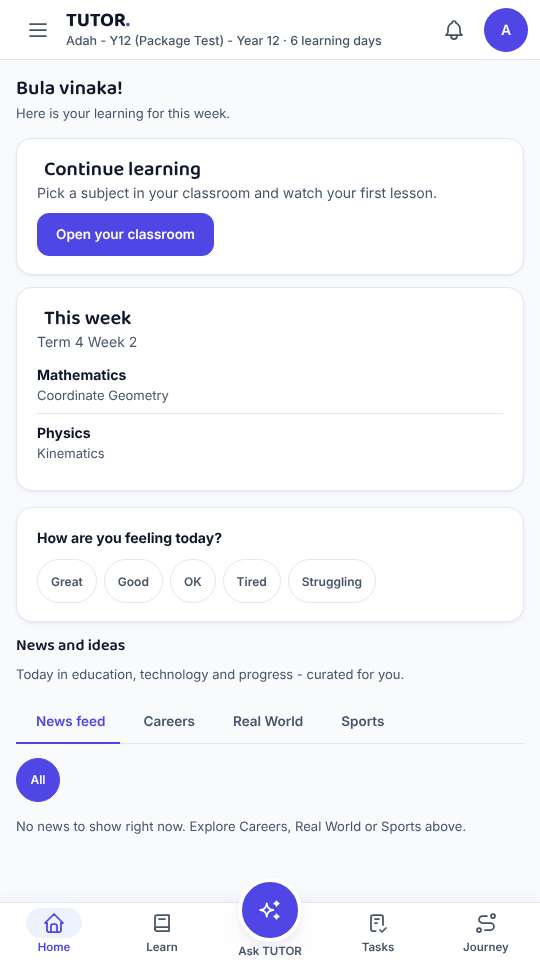
5. Your child's Home
Your child's Home shows this week's topics and what to do next.
-
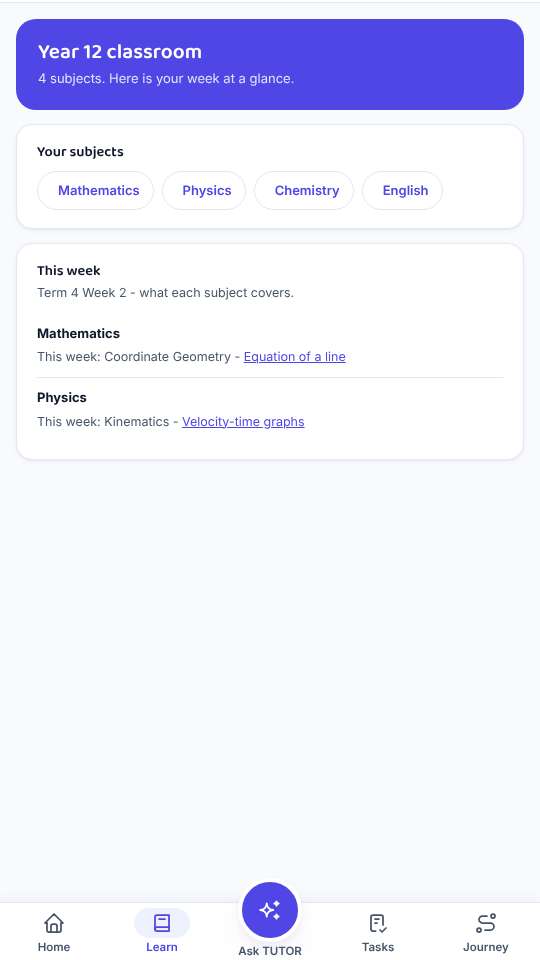
6. Learn
Learn: every subject and topic for their year, with lessons, notes and topic tests.
-
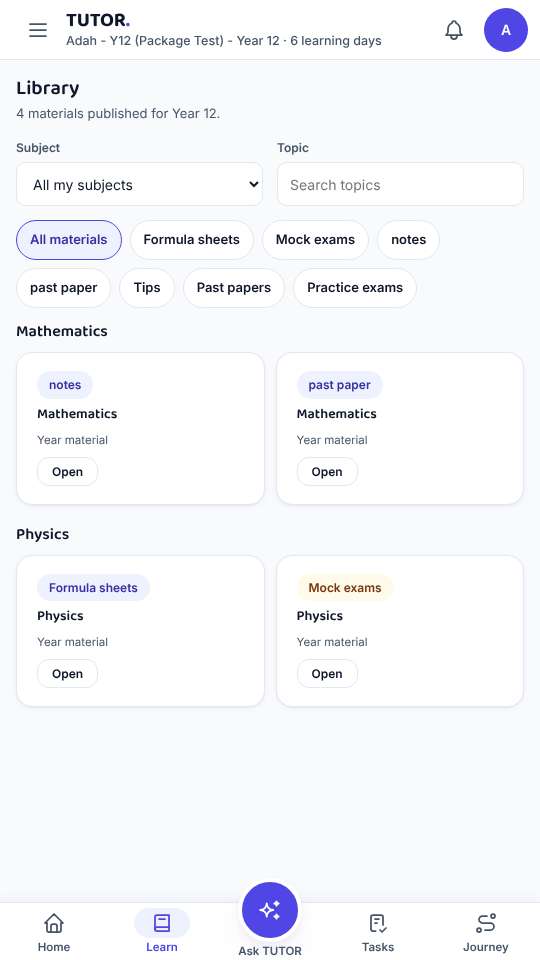
7. Library
The Library has notes, formula sheets and past exam papers for their year.
-
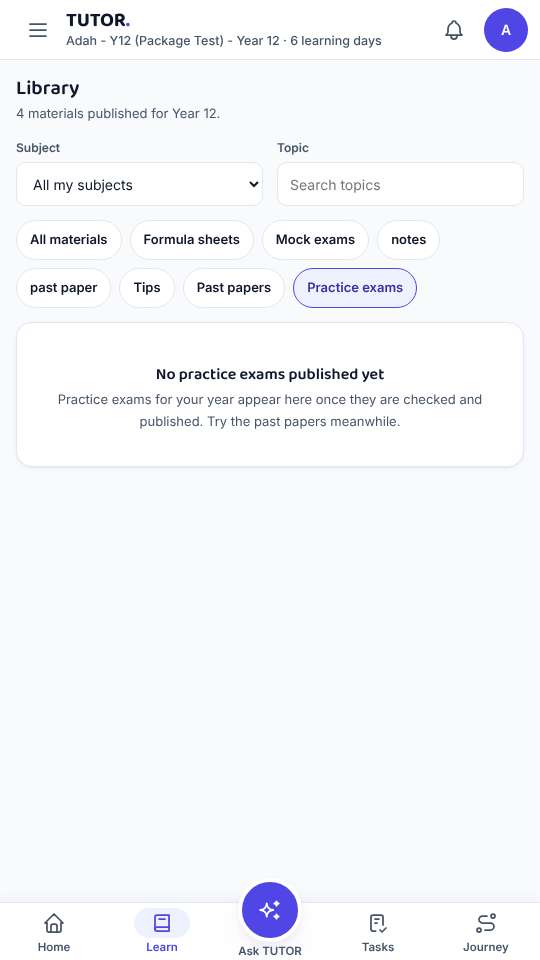
8. Practice and mock exams
Practice and mock exams help senior students get ready for FY12CE and FY13CE.
-
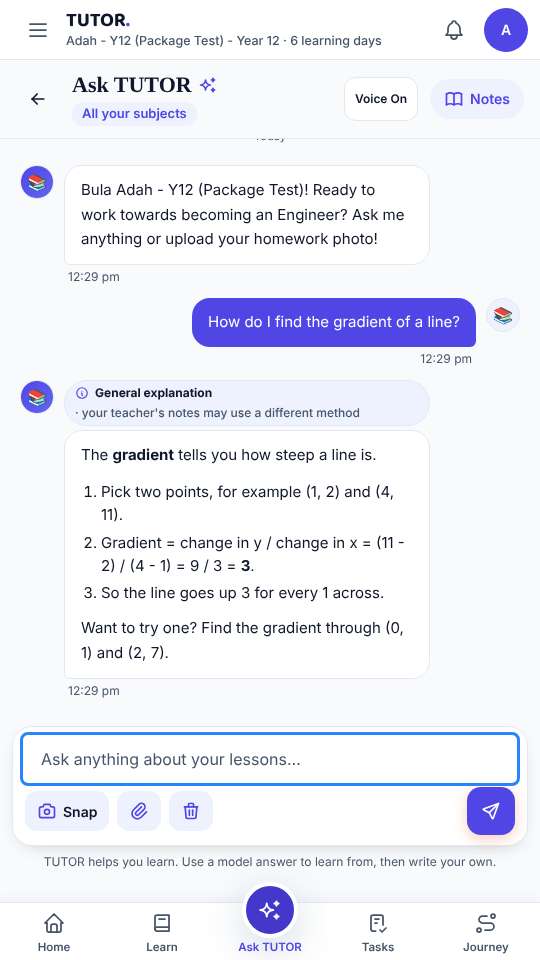
9. Ask TUTOR
Ask TUTOR explains step by step - safely, with the help line ready if a child is worried.
-
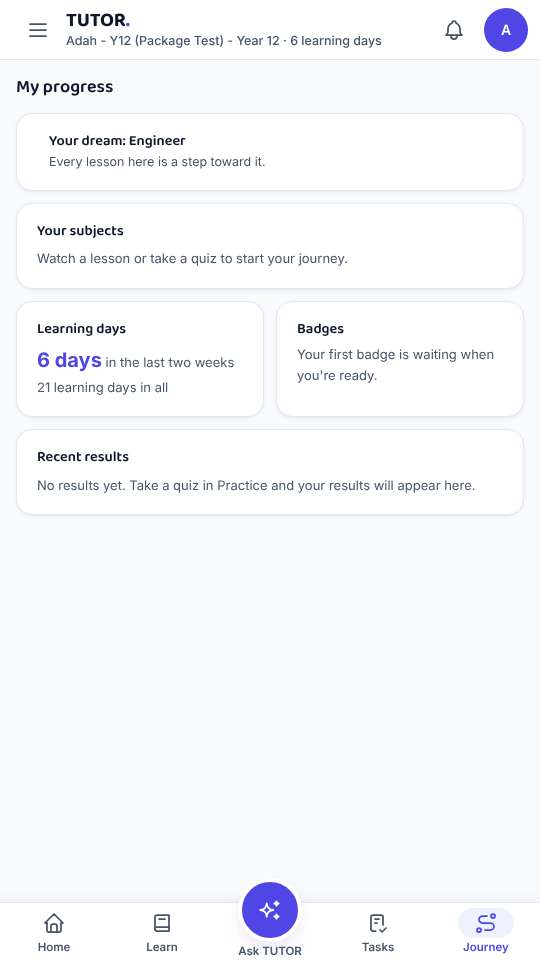
10. Journey
Journey shows learning days and topics done. Every day counts - missing a day costs nothing.
-
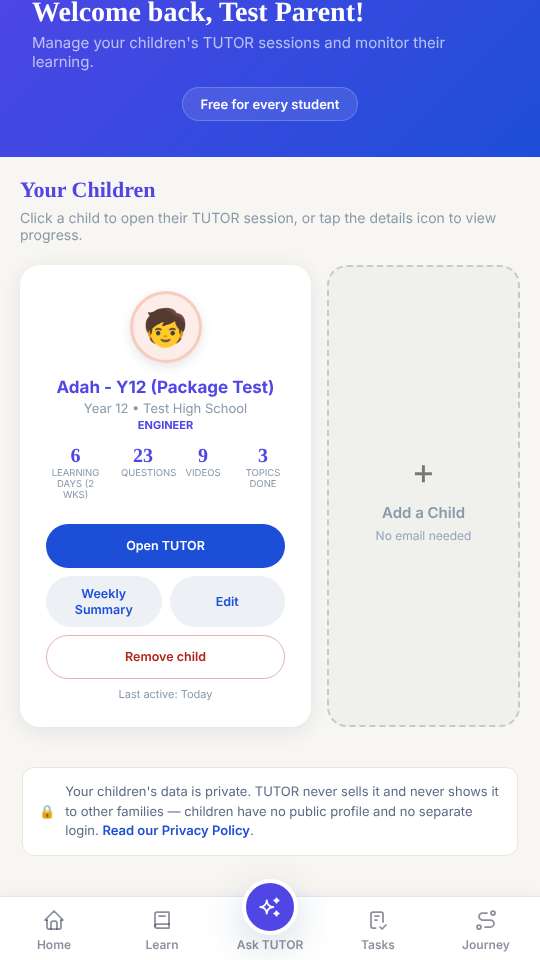
11. Progress for parents
Parents see learning days, questions and topics done, and exactly what TUTOR uses to help.
-
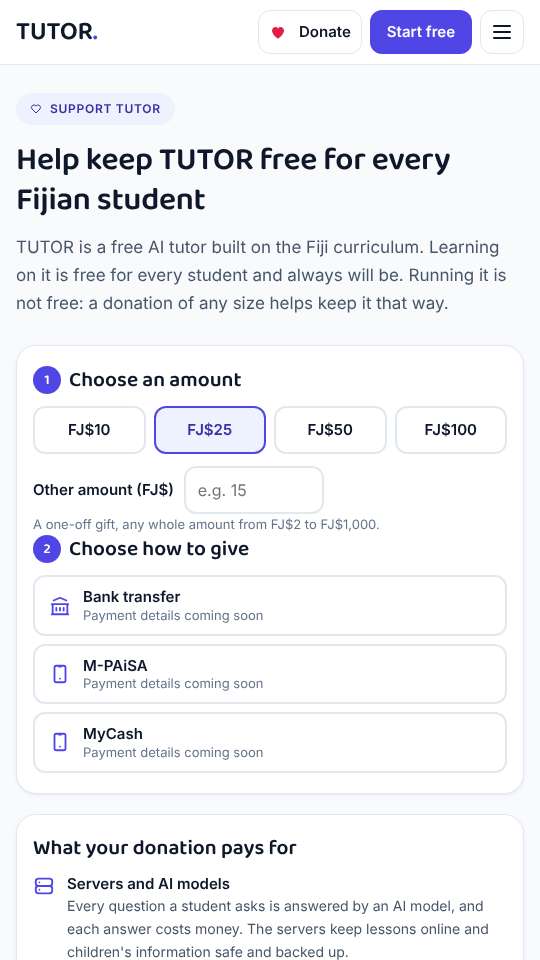
12. Keeping TUTOR free
TUTOR is free for every student. Donations keep it that way. Vinaka!